
Ekran görüntüleri

Uygulama ayrıntıları
- Sürüm
- 8.0.0066 | 8.0.0065 | 8.0.0063 | 8.0.006...
- Boyut
- 46.64 MB
- Güncellendi
- April 14, 2025
- Gerektirir
- Windows 8.1
- Dil
- English
- Lisans
- Trial version
- Geliştirici
- Netsarang
- Kategori
- Windows OS
SoftPas dilinde:
Bu ürün aşağıdaki dillerde de mevcuttur:
XShell hakkında
Download XShell – Free Secure Terminal Emulator for Windows
Overview & Core Capabilities
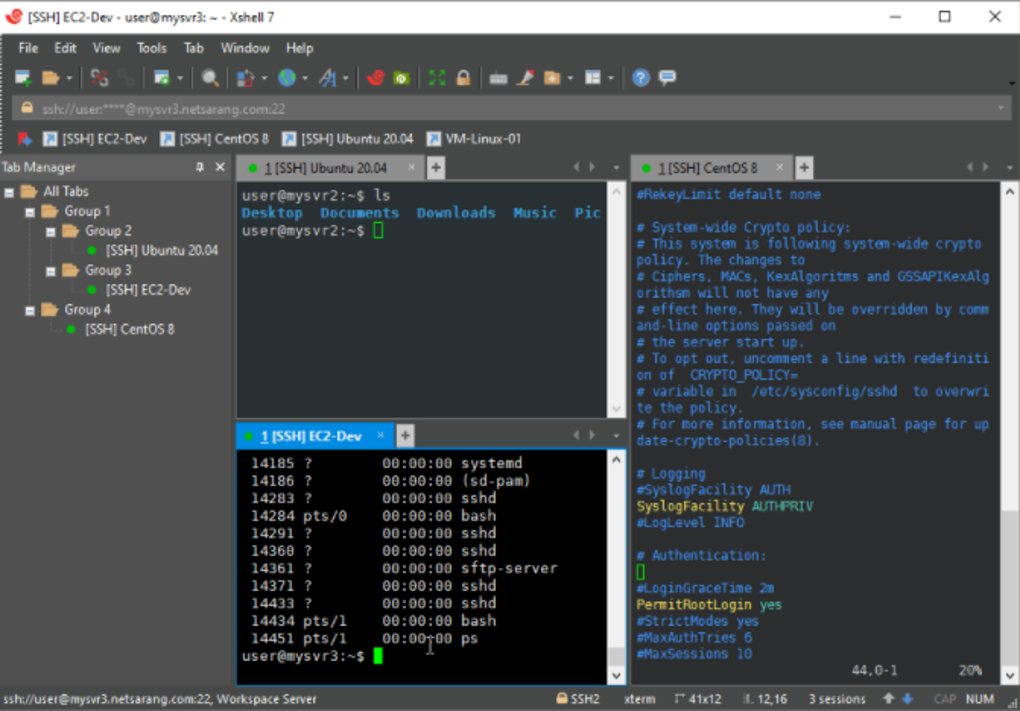
XShell, Windows ortamları için tasarlanmış güçlü, açık kaynaklı bir terminal emülatörüdür. Arayüz yeni başlayanlar için göz korkutucu görünebilir, ancak deneyimli ağ yöneticileri, geliştiriciler ve BT profesyonelleri, standart bir PC'yi tam özellikli bir sanal terminale dönüştürme yeteneğini hızla takdir eder. Uygulama, SSH1, SSH2, TELNET, RLOGIN, SERIAL ve SFTP dahil geniş bir protokol yelpazesini destekleyerek rutin dosya aktarımından Linux/Unix ana makinelerin güvenli uzaktan yönetimine kadar her türlü senaryoya uygundur. XShell’in modüler tasarımı, kullanıcıların aynı anda birden fazla oturumu açmasını sağlayan temiz, sekme‑tabanlı bir çalışma alanı sunar ve ayrı pencerelerle uğraşma ihtiyacını azaltır. Yerleşik dinamik port yönlendirme, PKCS#11 akıllı kart desteği ve özelleştirilebilir tuş haritalama özellikleri, güç kullanıcılarına şifreli tüneller ve kimlik doğrulama yöntemleri üzerinde ince ayar kontrolü sağlar. Güvenlik en üst düzeydedir; program MIT Kerberos kimlik doğrulaması, açık‑anahtar şifrelemesi ve trafik şifrelemesi uygular ve verileri dinlemeye karşı korur. Eğitim ve ev kullanımı için tasarlanmış ücretsiz sürüm bile temel güvenlik özelliklerini içerirken, ticari sürüm gelişmiş araçların tam paketini açar. XShell, ağ üzerinden otomatik olarak güncellenir, böylece kullanıcılar manuel yamalar olmadan sürekli iyileştirmelerden faydalanır. Genel olarak, XShell, kurumsal düzeyde güvenliği kullanıcı‑dostu, sekmeli bir arayüzle dengeleyen güvenilir, yüksek performanslı bir terminal çözümü olarak öne çıkar.
Feature Deep‑Dive
- Multi‑Protocol Support: Native handling of SSH1/2, TELNET, RLOGIN, SERIAL, and SFTP.
- Dynamic Port Forwarding: Seamlessly create encrypted tunnels on the fly.
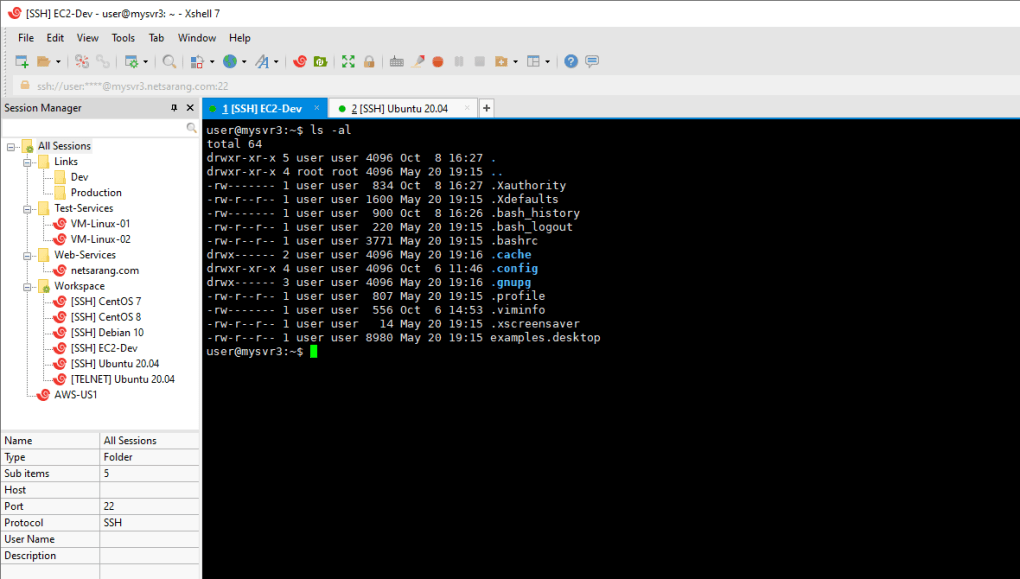
- Tabbed Environment: Open unlimited sessions in separate tabs for efficient multitasking.
- Custom Key Mapping & Dual‑Font Support: Tailor shortcuts and display both ASCII and non‑ASCII characters.
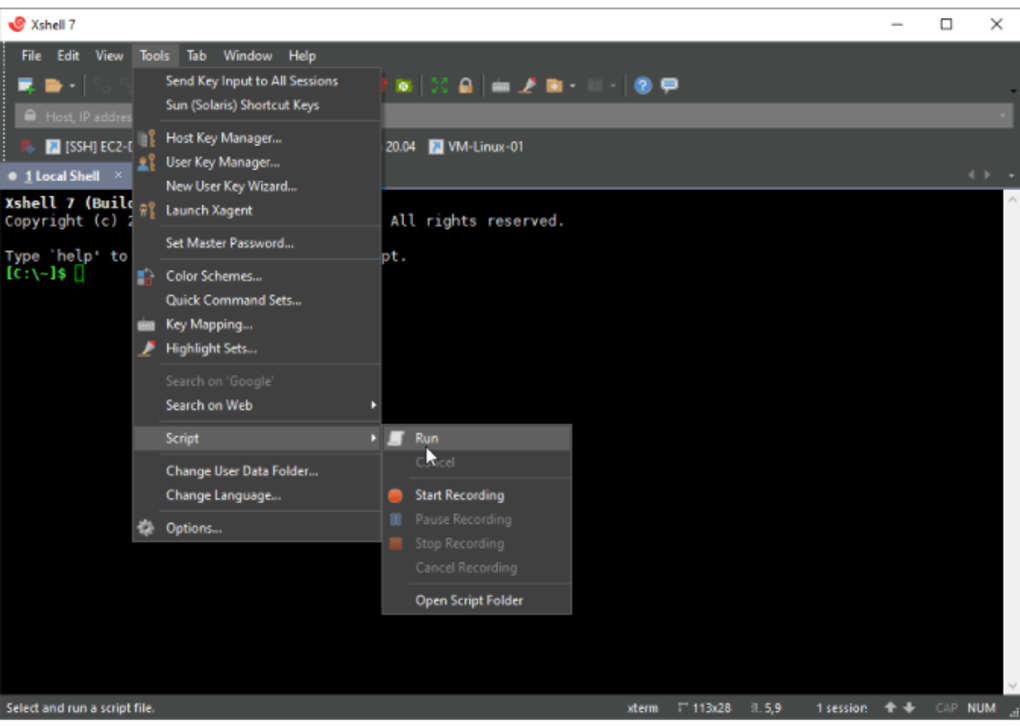
- Scripting Engine: Automate repetitive tasks using JScript, VBScript, or Python.
- PKCS#11 Smart‑Card Integration: Secure authentication via hardware tokens.
- Regular Expression & Highlighting: Advanced search and visual cue features.
- Live Update Mechanism: Automatic download and installation of the latest patches.
- Multilingual UI: Full UTF‑8 support for global language compatibility.
- File Transfer Management: Drag‑and‑drop, progress monitoring, and resume capabilities.
Installation, Configuration & Compatibility
Getting XShell up and running is straightforward. The installer is available as a single .exe file for both 32‑bit and 64‑bit Windows platforms. After downloading from the official NetSarang website, double‑click the installer, accept the license agreement, and follow the wizard prompts. The process requires roughly 50 MB of free disk space and completes in under two minutes on a typical modern PC. Once installed, launch XShell from the Start menu; the first run will present a welcome screen that guides you through creating your initial session profile.
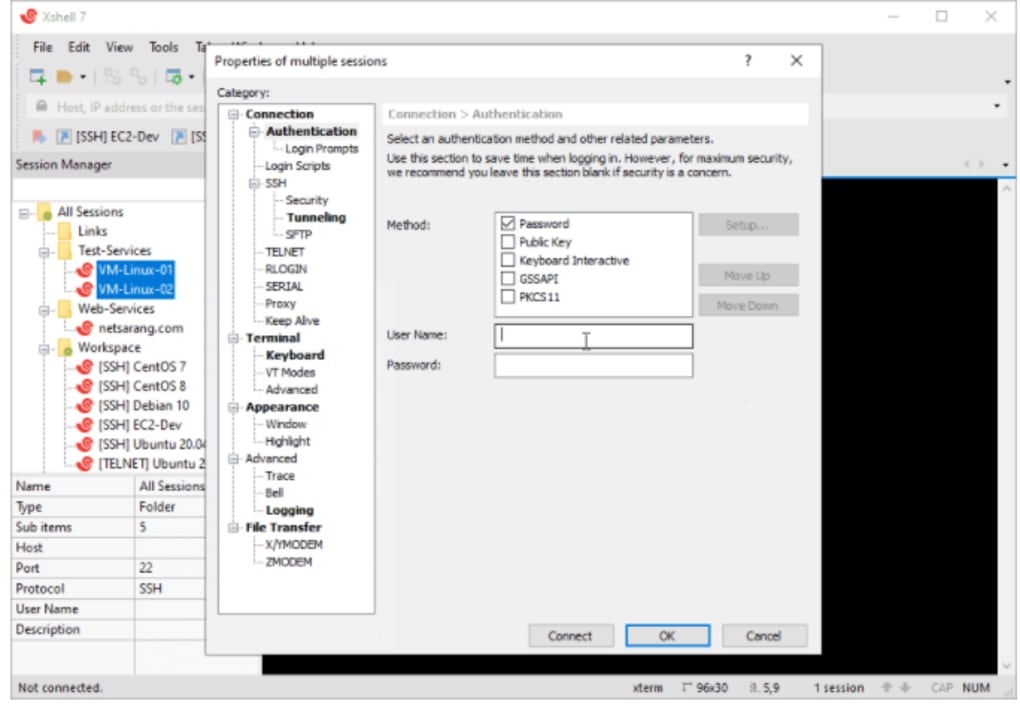
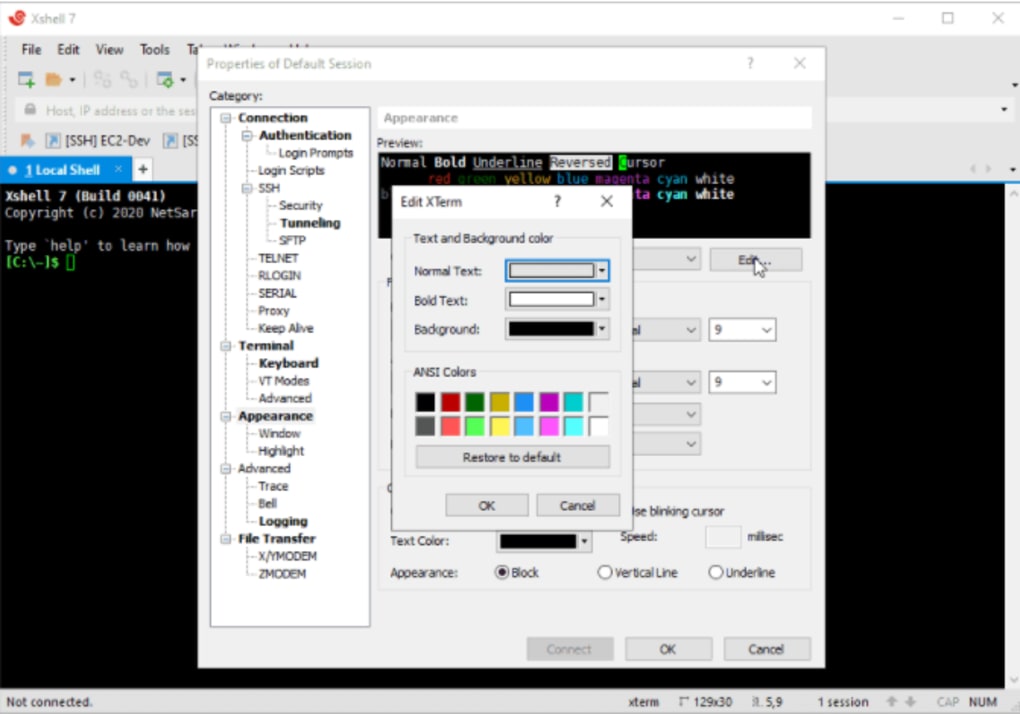
Configuration is highly customizable. Under the Options menu you can select your preferred terminal emulation (e.g., XTERM, VT100, VT220, ANSI, SCOANSI, LINUX) and adjust font sizes, colors, and cursor styles. The Key Mapping dialog lets you assign custom shortcuts for common commands, while the Scripting pane provides templates for automating login sequences or batch file transfers. For security‑focused setups, navigate to the Authentication tab to import SSH keys, enable PKCS#11 modules, or configure Kerberos tickets.
XShell is compatible with Windows 7, Windows 8, Windows 10, and Windows 11 (both 32‑bit and 64‑bit). The software has been optimized for low CPU and RAM usage, typically consuming less than 30 MB of memory during active sessions, ensuring smooth performance even on older hardware. Although primarily a Windows tool, remote sessions can target any SSH‑enabled server, including Linux, BSD, and macOS systems.
After configuration, you can save session profiles for quick access. The “Compose Bar” feature lets you broadcast a single command to multiple open sessions, ideal for administrators managing clusters of servers. With its lightweight footprint and comprehensive protocol support, XShell fits comfortably into any Windows‑based IT workflow.
Pros, Cons & Frequently Asked Questions
Pros
- Free version offers essential security features without a license fee.
- Robust multi‑protocol support (SSH, TELNET, SFTP, SERIAL, RLOGIN).
- Tabbed interface simplifies handling of multiple concurrent sessions.
- Dynamic port forwarding and PKCS#11 integration for advanced security.
- Extensive scripting capabilities with JScript, VBScript, and Python.
- Low system resource consumption ensures smooth operation on older PCs.
Cons
- Steeper learning curve for absolute beginners.
- Free edition restricts some premium features to commercial license.
- Only available for Windows; no native macOS or Linux client.
- Occasional UI quirks when handling a very large number of tabs.
FAQ
Is XShell truly free for personal use?
Yes. The freeware edition can be used at home or for educational purposes without any cost. It includes core SSH/TELNET functionality and basic security features.
Can XShell replace commercial SSH clients like SecureCRT?
For most day‑to‑day tasks, XShell offers comparable features—tabbed sessions, scripting, and strong encryption. Enterprises needing advanced session logging or centralized management may still prefer a paid solution.
How does XShell handle SSH key management?
XShell provides an integrated key manager where you can import, generate, and associate private keys with specific sessions. It also supports hardware tokens via PKCS#11.
Is there a portable version of XShell?
A portable edition is available for users who need to run XShell from a USB stick without installing it on the host computer.
What kind of technical support does the free version receive?
Free users have access to community forums, knowledge base articles, and occasional email support. Priority support and direct phone assistance are reserved for commercial license holders.
XShell delivers a compelling blend of security, flexibility, and performance for Windows users. While the UI may require a brief acclimation period, the depth of features—especially dynamic port forwarding and robust scripting—makes it a top choice for power users and enterprise environments alike.
Conclusion & Call to Action
If you need a reliable, secure terminal emulator that runs natively on Windows, XShell deserves a spot in your toolkit. Its free edition already packs essential SSH/TELNET capabilities, while the commercial version unlocks premium scripting, advanced authentication, and enterprise‑grade support. The tabbed workspace, low resource footprint, and automatic update system keep your workflow smooth and up‑to‑date. Whether you’re managing a handful of remote Linux servers or orchestrating large‑scale deployments, XShell offers the flexibility and security you expect from a modern SSH client.
Ready to streamline your remote‑access tasks? Download XShell now and start configuring your first session in minutes. For businesses looking to maximize productivity, consider the professional license to unlock the full feature set and dedicated support.
Kılavuzlar ve eğitimler
XShell nasıl yüklenir
- Yukarıdaki İndir düğmesine tıklayın.
- Yönlendirildikten sonra şartları kabul edin ve Yükle’ye tıklayın.
- XShell indirmesinin cihazınızda tamamlanmasını bekleyin.
XShell nasıl kullanılır
Bu yazılım temel olarak yukarıda açıklanan ana özellikleri için kullanılır. Yüklemeden sonra uygulamayı açarak yeteneklerini keşfedin.
Kullanıcı yorumları
Henüz inceleme yok. Deneyiminizi ilk paylaşan siz olun.
Bunları da beğenebilirsiniz
daha fazla
Llama 2
Free-to-use large language model As the new addition to Meta’s arsenal of langua...

NotebookLM
Revolutionizing the note-taking and idea-generation process NotebookLM is an exp...

Github co pilot
AI-inspired software development and coding platform GitHub Copilot is a browser...

Google Gemma
Google’s lightweight AI models Introducing Google Gemma , a family of cutting-ed...

AI Image Enlarger
A free app for Windows, by ai-image-larger. AI Image Enlarger is a free software...

DALL E
AI-driven text-to-image transformation engine DALL·E is a free graphic and desig...